Step 1: Get Familiar with Pose Model
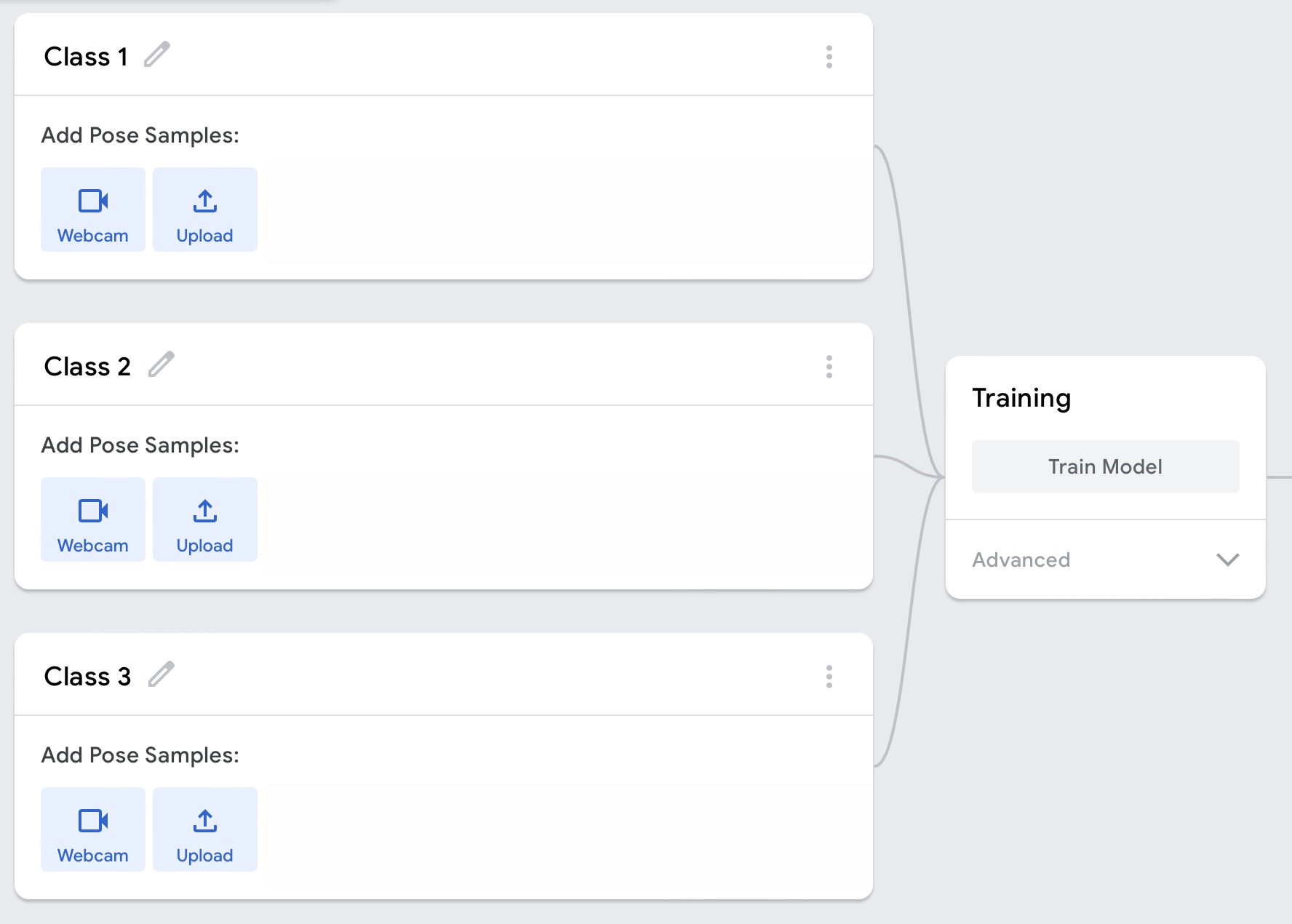
There are several classes, in which you can change the name, input the pose samples via Webcam or uploading files. However, note that too many samples slow down the model training and do not change browser tabs.

Teachable Machine is a web-based tool that lets everyone create machine learning models quickly and easily.You can use Teachable Machine with other software. It is possible to download the trained-machine code and use it with another piece of software
Learn more
p5.js is a JavaScript library for creative coding. Using the metaphor of a sketch, p5.js has a full set of drawing functionality. However, you’re not limited to your drawing canvas. You can think of your whole browser page as your sketch, including HTML5 objects for text, input, video, webcam, and sound.
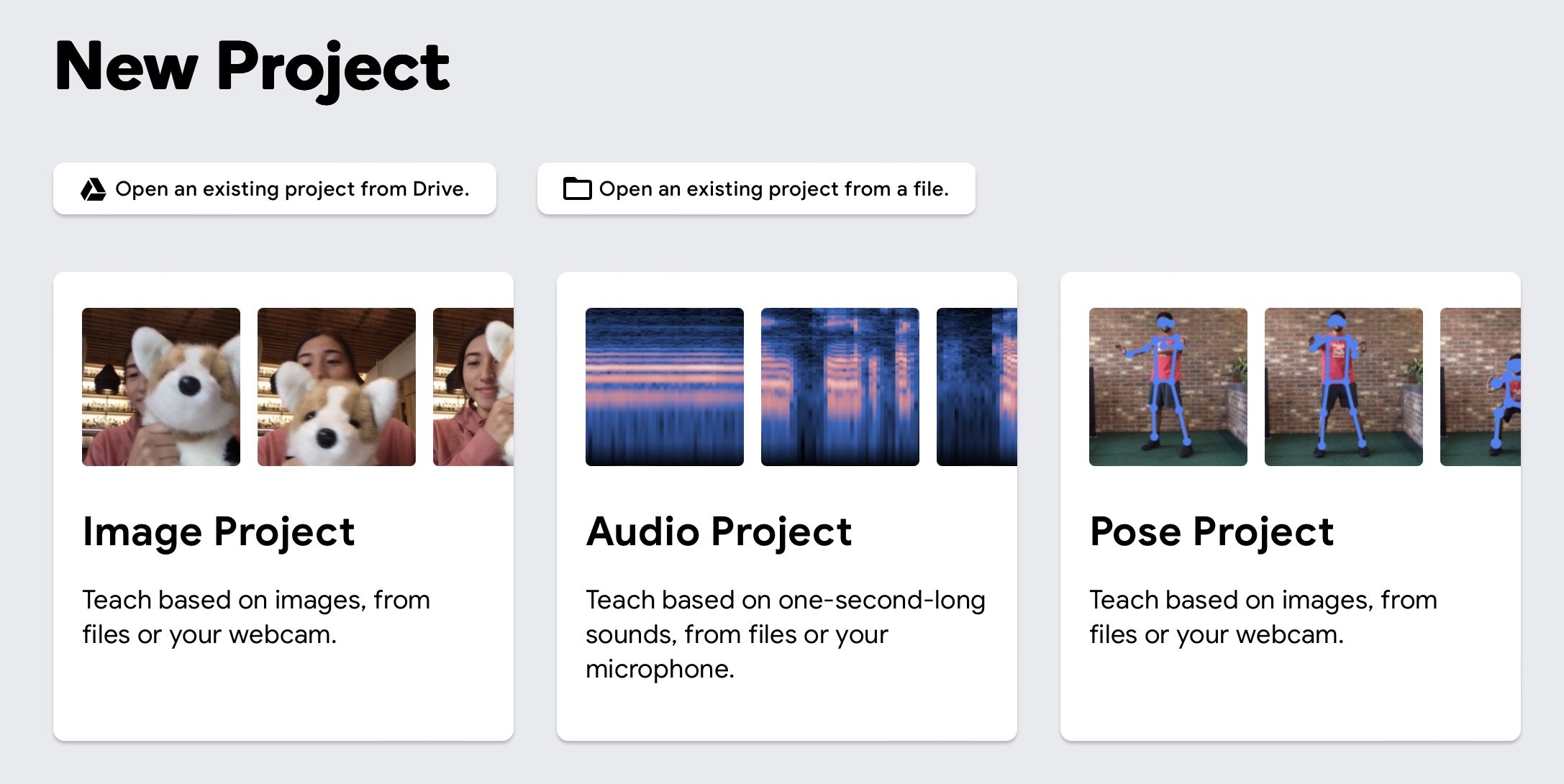
Learn moreTeachable Machine has three types of projects: Image, Audio, and Pose. Now, I am showing how to train a machine to tell poses which you input.
There are several classes, in which you can change the name, input the pose samples via Webcam or uploading files. However, note that too many samples slow down the model training and do not change browser tabs.
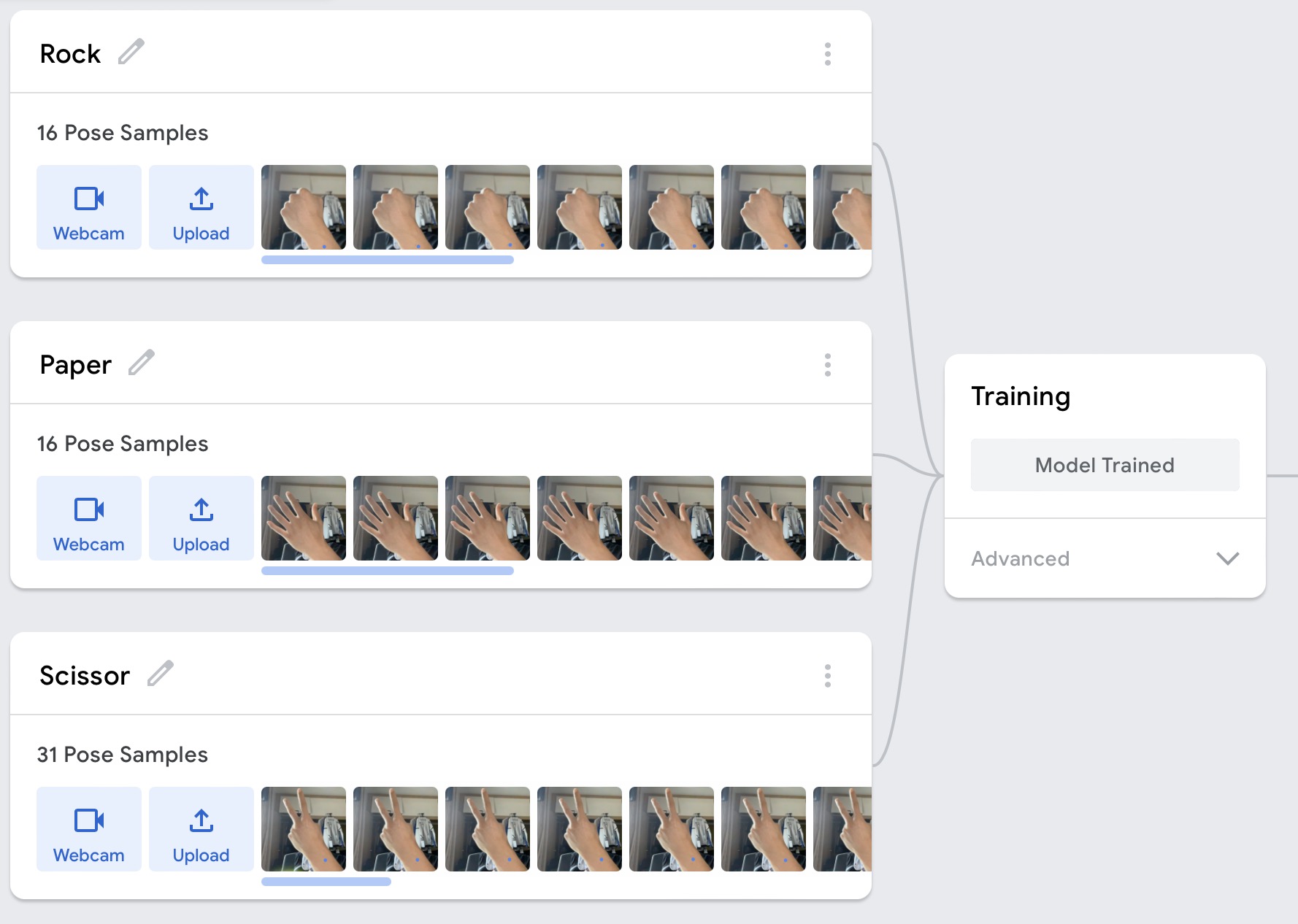
Open the Webcam and keep clicking the button "Hold to Record". Then, you will get several pose samples in the class. I input the samples of "Rock, Paper and Scissor".
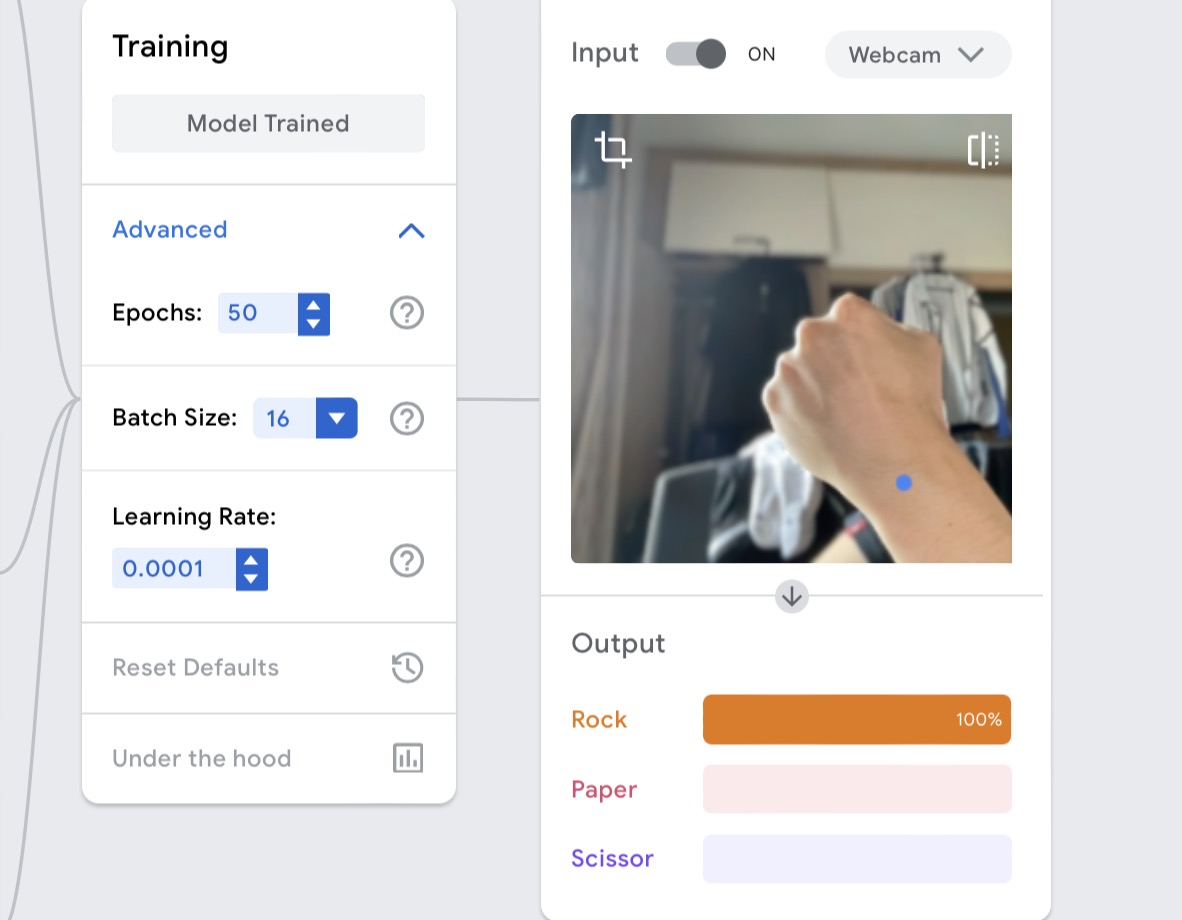
You can show Rock, Paper and Scissor respectively, and observe the changes in the "output box". Another thing you should note is that the output is influenced by many things due to the content you input. For example, you may add your facial expressions when you input your pose.
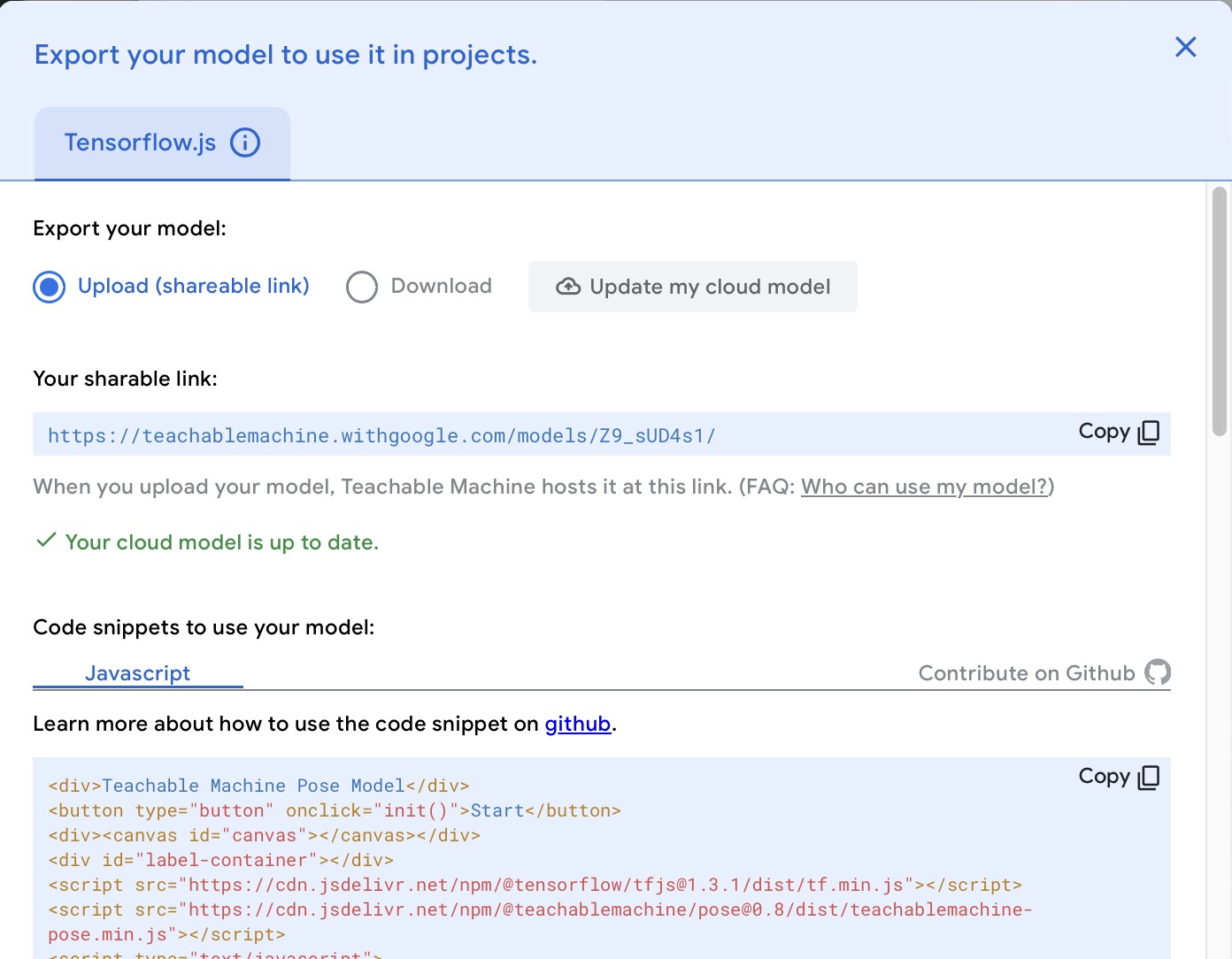
There is the 'export' function in the page, so you can choose to upload or download your model, and then get a link or a file containing the training code, which you can integrate with P5.js or other systems.
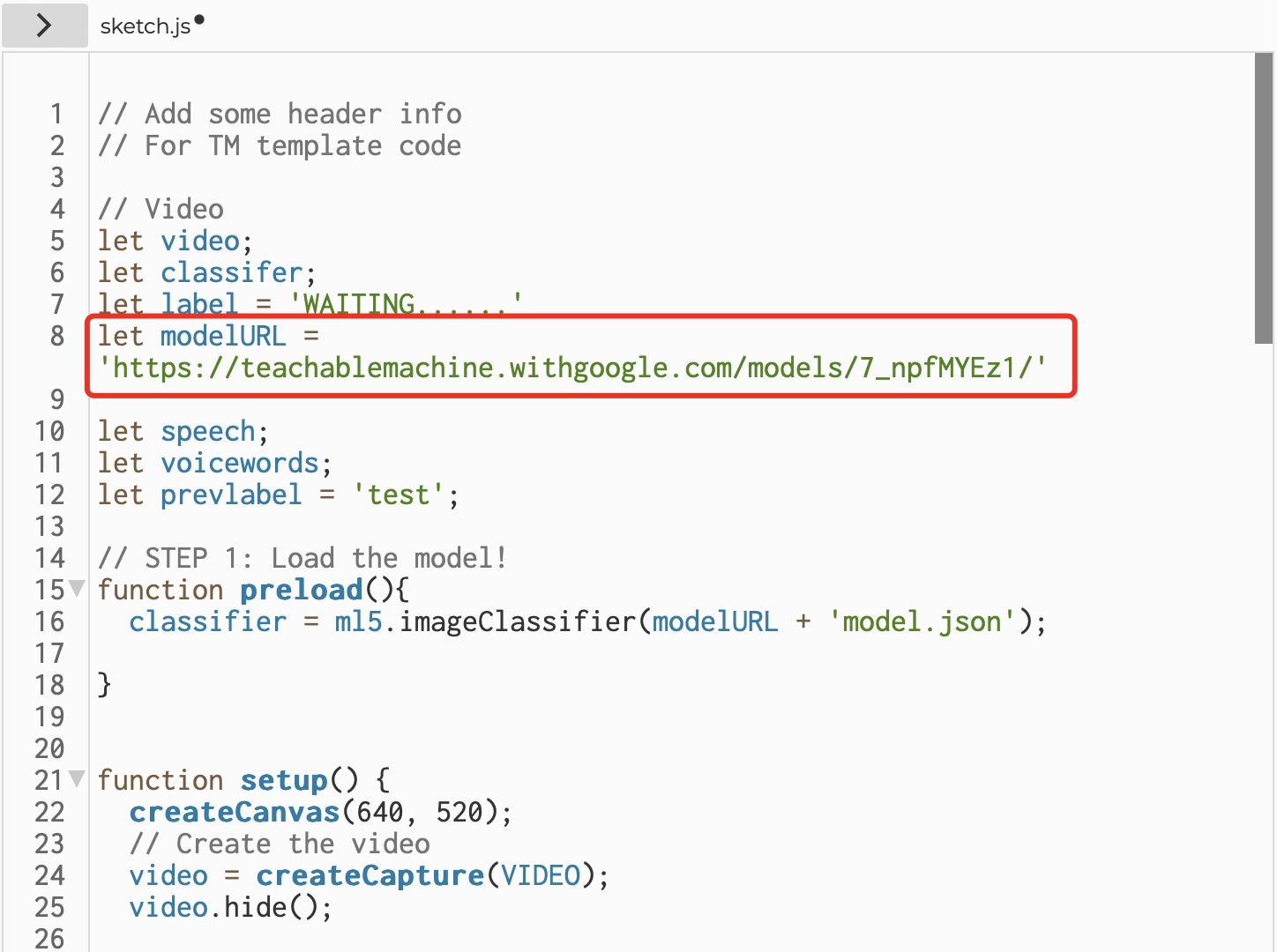
ModelURL is the link which you export from Teachable Machine.
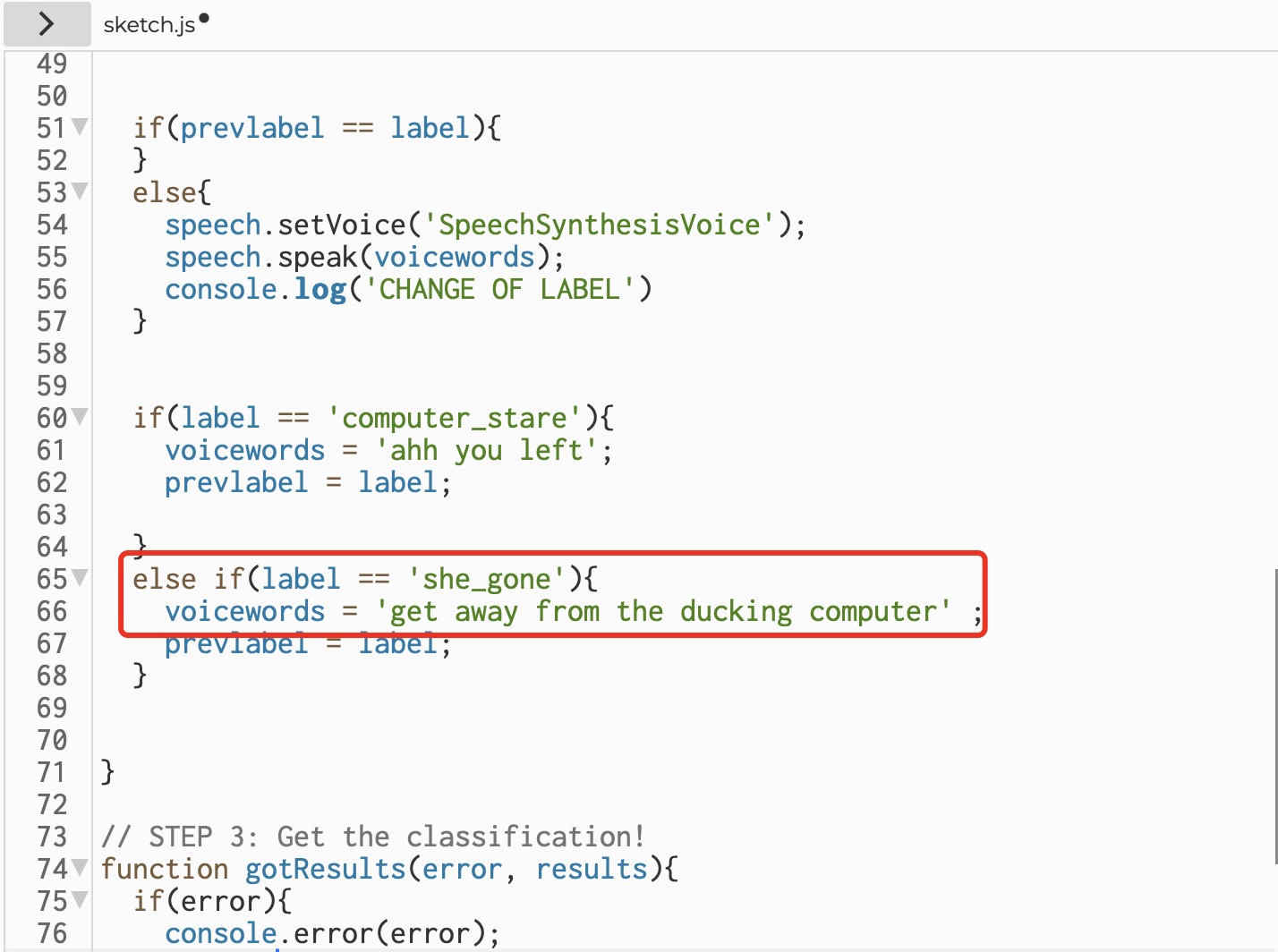
According to the names in your class, you can change the labels and the voicewords.
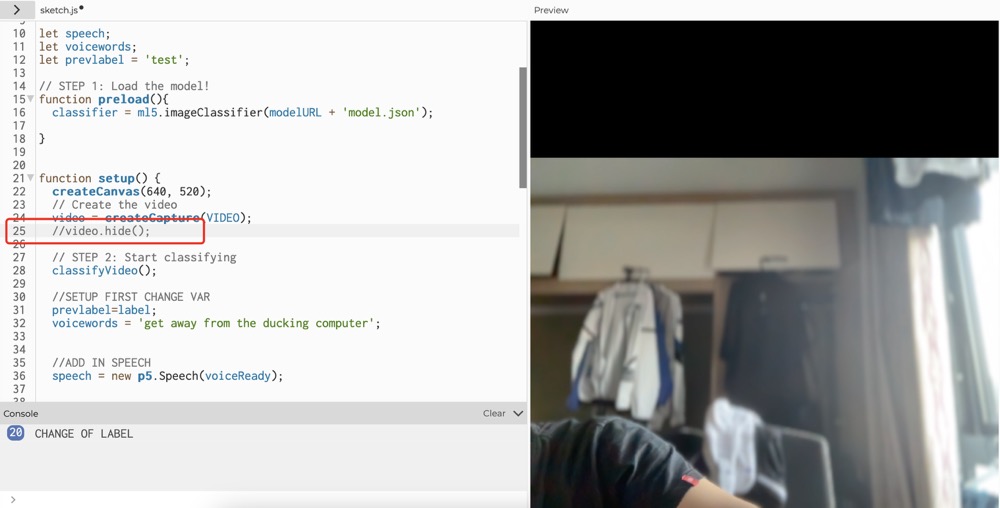
This is a visual project that can tell if you are in front of the camera. If you are, the voice will be "get away from the ducking computer". Otherwise, the voice would be "ahh your left".